Telenor Balance Save Code: Save your Telenor Balance in 2026
In today’s digital world, mobile balance plays an important role in staying connected without interruption. Many Telenor users often face the issue of unexpected balance deductions during internet usage or background activity. These sudden charges can be frustrating and inconvenient for prepaid customers.
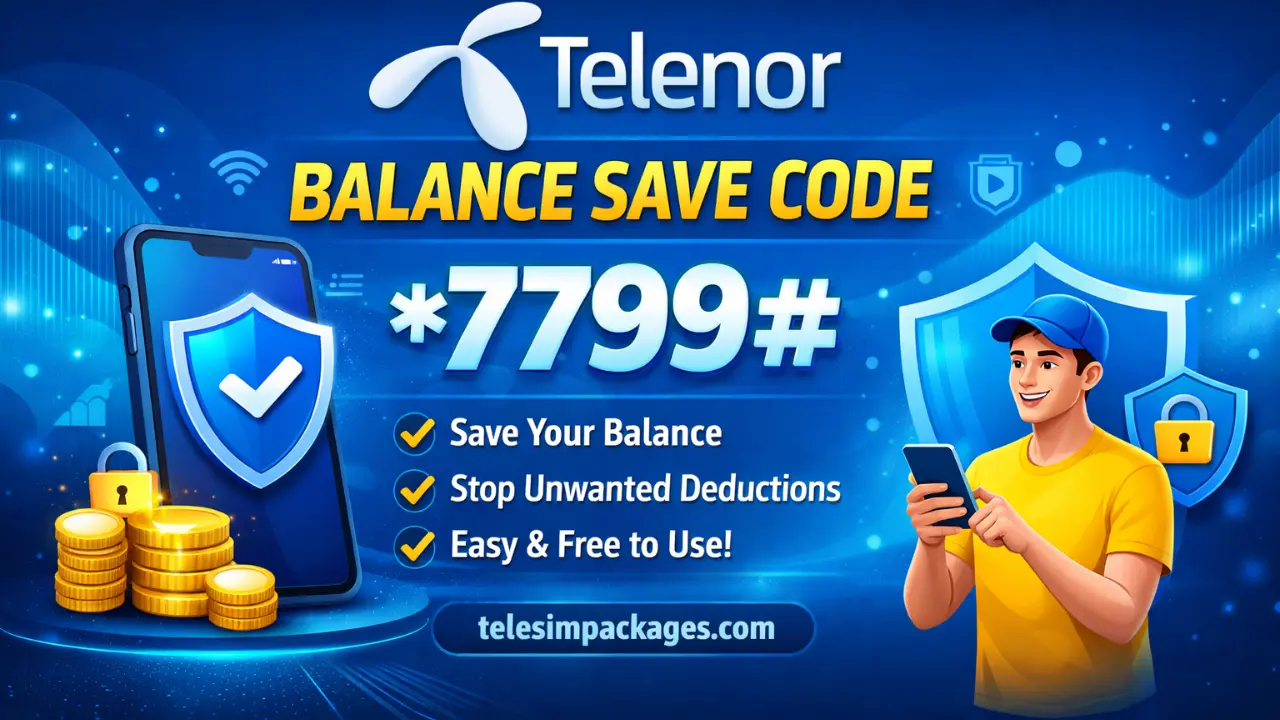
The Telenor Balance Save Code is a simple and effective solution to this common problem. It helps protect your balance from unwanted deductions and gives you better control over your mobile spending. With easy activation, it ensures peace of mind for Telenor users in 2026.
What Is the Telenor Balance Save Code?
The Telenor Balance Save Code is a prepaid service that protects your mobile balance from unwanted deductions. It mainly works when your internet package expires or background data is active. This feature helps you keep your balance secure and under control.
- Balance Protection: It blocks your main balance from being used for out-of-bundle internet charges, ensuring no accidental data deductions.
- Internet Safety Lock: When activated, mobile data will only work if you have an active internet package, otherwise internet access is restricted.
- Easy USSD Activation: You can activate or manage the service easily by dialing a simple USSD code without using the internet.
- Prepaid User Friendly: This service is specially designed for prepaid Telenor users who want to avoid surprise balance loss.
- No App Required: It works on all mobile phones, including basic phones, without needing the My Telenor App.
- Peace of Mind: Once activated, you can use your phone freely without worrying about hidden or unwanted balance deductions.

Also Read: Telenor Quiz Answers Today
Methods to Save Your Telenor Balance in 2026
Saving your Telenor balance in 2026 is easier than ever with multiple free options available. By using the right codes and tools, you can avoid unwanted deductions and manage your mobile usage smartly.
| Method | Activation Code | Validity | Price |
|---|---|---|---|
| Balance Save Lock Code | *7799# | Until Deactivated | Free |
| Bill Shock Offer | *503# | 30 Days | Free |
| Manual Lock via Helpline | Dial 345 | As Needed | Free |
| Monitor MB Usage | *999# or *444# | Instant | Free |
| Data Saver via My Telenor App | My Telenor App Settings | Customizable | Free |
Telenor Balance Save Code Activation Method Explained
Activating the Telenor Balance Save Code is a quick and simple process for prepaid users. It helps protect your balance from unwanted internet deductions. You can enable this feature in just a few easy steps.
- Open Your Dialer: Use your mobile phone’s dial pad and make sure your Telenor SIM is active.
- Dial the Activation Code: Enter *123*2# and press the call button to access the balance save menu.
- Follow On-Screen Instructions: Select the activation option from the menu and confirm your request.
- Wait for Confirmation SMS: You will receive a message from Telenor confirming that the balance save service is activated.
- Balance Protection Enabled: Once activated, your balance will remain safe from out-of-bundle internet usage until you deactivate the service.
Why Is Balance Being Lost Without You Knowing?
Before we explain how to activate the balance save feature, it’s helpful to understand why your balance can disappear mysteriously:
Out-of-Bundle Internet Usage
If your internet bundle expires and you keep mobile data turned ON, the mobile network may start charging standard per-MB rates, often rapidly using up your balance.
Background App Data
Even if you’re not actively browsing, apps like WhatsApp, Instagram, TikTok, or system processes run in the background and consume data quietly. That usage gets charged if no active data package is present.
Unwanted Subscriptions
Sometimes value-added services, third-party subscriptions, or automatic renewals are added to your SIM, which may charge daily or monthly without your direct approval, draining your balance.
How to Deactivate or Manage the Service
You can easily deactivate or manage the Telenor Balance Save service anytime. Simply dial *7799# again and follow the on-screen options to unsubscribe. You can also contact Telenor customer support at 345 for assistance.
- Deactivate via USSD: In many cases, dialing
*123*2#again allows you to navigate the menu and deactivate the service. - Deactivate via Customer Support: If the USSD menu doesn’t work, you can call Telenor support at 345 and ask the representative to remove the balance save feature.
- My Telenor App: You can also manage active packages and services through the My Telenor App, where you can subscribe or unsubscribe from features like balance lock, data saver, and more.
Important Things to Know About Balance Save
The Balance Save service is mainly designed for prepaid Telenor users. It blocks internet usage from your main balance when no data package is active. Calls and SMS continue to work normally without interruption. The service remains active until you choose to deactivate it.
- Only for Prepaid Users
- Internet Is Blocked Without a Package
- Works Only With Active Freeze
Common Problems and Troubleshooting
Sometimes users may face minor issues while using the Telenor Balance Save Code. These problems are usually easy to fix with simple steps. Below are common issues along with their solutions.
- USSD Code Not Responding: Restart your phone and dial *7799# again.
- No Activation SMS: Wait a few minutes or retry activation.
- Balance Still Deducting: Confirm the service is active and data bundle is valid.
- Internet Not Working: Activate a data package, as balance save blocks pay-as-you-go data.
- Deactivation Issue: Dial *7799# again or contact Telenor helpline 345.

Also Read: SIM Owner Details Checker
Future Outlook: Why Balance Protection Matters in 2026
With increasing mobile usage patterns, from social media to online payments, videos, and mobile banking, the unexpected loss of balance can be more than an annoyance, it can interrupt essential communication, work, or safety. In 2026, telecom operators like Telenor recognize this pain point and provide balance save tools tailored for modern usage needs.
Tips for Using Telenor Balance Save Code
Using the Telenor Balance Save Code correctly can help you avoid unnecessary balance loss. A few smart practices can make this feature even more effective. Follow these tips for better balance control.
- Always Confirm Activation: Make sure you receive a confirmation SMS after dialing *7799# to ensure the service is active.
- Subscribe to Data Packages: Keep an active internet bundle to avoid internet blockage while balance save is enabled.
- Turn Off Mobile Data When Not Needed: This helps prevent background apps from attempting to use data.
- Monitor Active Subscriptions: Regularly check for unwanted services through the My Telenor App or USSD codes.
- Use My Telenor App: Manage data usage, packages, and settings easily for better balance control.
- Deactivate When Necessary: If you want to use pay-as-you-go internet, temporarily deactivate the balance save feature.
Final Thoughts
The Telenor Balance Save Code is a smart solution for protecting your mobile credit in 2026. It helps prevent unwanted deductions and keeps your balance secure at all times. With easy activation and no hassle, it offers peace of mind for prepaid users. Using this feature ensures better control over your mobile spending.
Frequently Asked Questions (FAQs)
Yes, the Telenor Balance Save service is generally free for prepaid users, and no daily or monthly charges are applied in most cases.
Yes, you can use the internet normally if you have an active data bundle. However, your main balance will not be used for internet access without a package.
Yes, balance save does not affect calls or SMS. You can continue making calls and sending messages as usual.